Automating Accessibility with Playwright and axe
Our newer Sakai end-to-end suite lives in Playwright, so accessibility checks belong there too. Here is how we pair keyboard-first workflow tests with axe scans in a Java-based Playwright harness.
When we wrote about automating accessibility with Cypress last year, we argued that accessibility checks should run where regressions are introduced, not months later in a separate audit pass.
That part has not changed. What has changed is the test harness around our Sakai work.
Much more of our end-to-end coverage now lives in the Java-based Playwright suite under e2e-tests. It logs in as real users, creates sites, moves through actual tools, and captures the artifacts you need when something breaks: screenshots, trace.zip, videos, DOM snapshots, and network captures. That makes it a better place for accessibility checks than a standalone script that never sees the real application state.
Why Playwright fits LMS accessibility work better
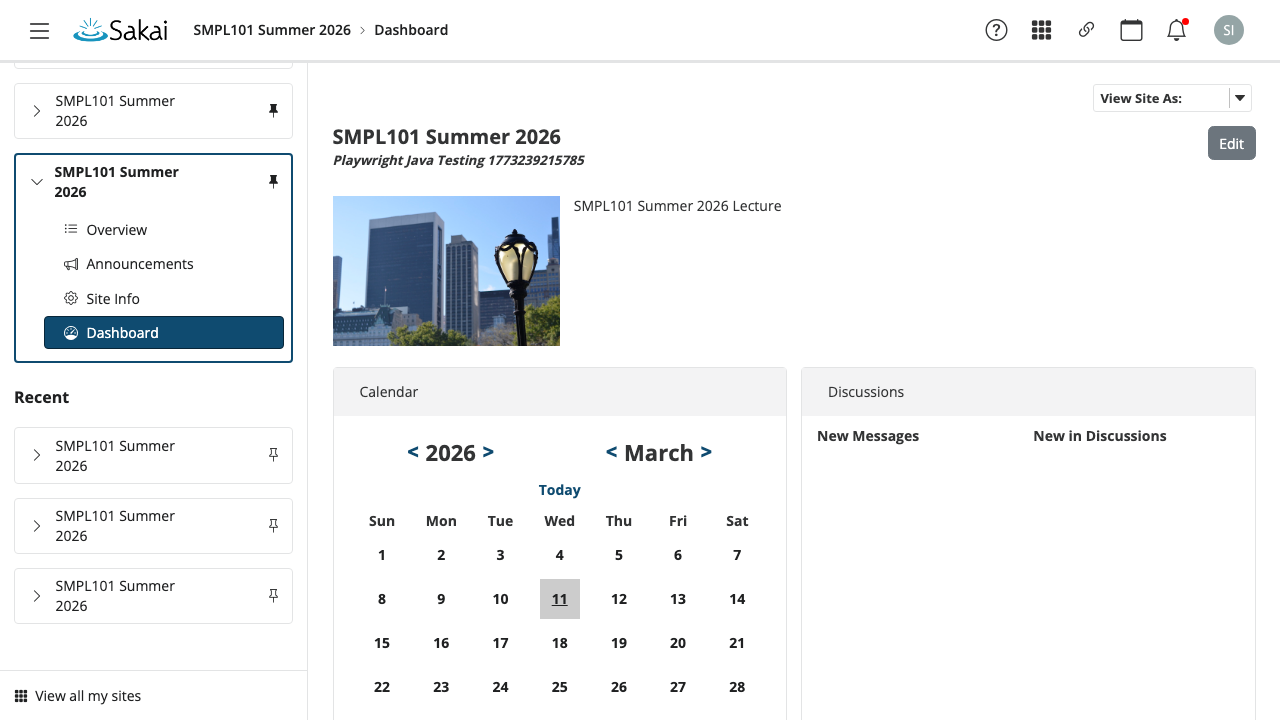
Accessibility regressions in an LMS usually do not hide on a single static page. They show up in navigation chrome, mobile menus, dialogs, drawers, and tool flows that only appear after login, course creation, or role changes.
Playwright is a better fit for that kind of work because it lets us keep accessibility checks inside the same browser automation we already trust for product behavior.
- The Sakai suite already exercises real flows across Dashboard, Gradebook, Lessons, Rubrics, Discussions, Announcements, Tests & Quizzes, Polls, and SCORM Player.
- The shared
SakaiUiTestBasecreates isolated browser contexts per test and captures final screenshots, traces, and video automatically. SakaiHelperhandles the messy practical parts: login, tool navigation, course creation, tutorial dismissal, responsive menus, and retrying transient network failures.- The suite can run in
chromium,firefox, orwebkitthroughPLAYWRIGHT_BROWSER, which is useful when you want to sanity-check browser-specific behavior.
This keeps accessibility checks in the same suite as the workflow tests.
What we are checking already
Even before axe is wired into every flow, the Playwright suite is already doing accessibility-aware testing.
The current AccessibilityTest class in e2e-tests includes keyboard-first coverage for:
- finding and activating the “jump to content” skip link without a mouse
- opening the “View All Sites” panel from portal chrome
- closing that panel cleanly, including through
Escapewhen that is the available exit path
Automated scans cannot test a complete keyboard workflow. A page can pass a scan and still fail a keyboard user immediately.
Where axe belongs
axe is the fast, repeatable layer that catches automatically detectable issues once the page is in the right state: missing labels, duplicate IDs, broken ARIA relationships, contrast failures, and other regressions that should never survive CI.
Timing matters. Open the menu, navigate to the tool, and wait for the page to settle. Then run axe against the page or the region that changed.
Playwright’s Java docs now support this directly through Deque’s Playwright integration, so the code can stay inside the same JUnit suite:
import com.deque.html.axecore.playwright.*;
import com.deque.html.axecore.utilities.axeresults.*;
import org.junit.jupiter.api.Test;

import java.util.Arrays;
import java.util.Collections;

import static org.junit.jupiter.api.Assertions.assertEquals;

class AccessibilityTest extends SakaiUiTestBase {

  @Test
  void viewAllSitesPanelHasNoAutomaticallyDetectableViolations() {
    sakai.login("instructor1");
    page.navigate("/portal");

    page.locator("#sakai-system-indicators button[title=\"View All Sites\"]").click();
    page.locator("#select-site-sidebar").waitFor();

    AxeResults accessibilityScanResults = new AxeBuilder(page)
      .include(Arrays.asList("#select-site-sidebar"))
      .withTags(Arrays.asList("wcag2a", "wcag2aa", "wcag21a", "wcag21aa"))
      .analyze();

    assertEquals(Collections.emptyList(), accessibilityScanResults.getViolations());
  }
}
That pattern scales well because it mirrors how LMS bugs actually happen. You are not auditing some abstract homepage. You are auditing the live portal state after a real interaction.
A practical pattern for larger suites
Once you have more than a couple of tests, it helps to centralize the common axe configuration instead of repeating it everywhere.
protected AxeBuilder makeAxeBuilder() {
  return new AxeBuilder(page)
    .withTags(Arrays.asList("wcag2a", "wcag2aa", "wcag21a", "wcag21aa"));
}
From there, each test can decide whether it wants to:
- scan the whole page
- scan only the tool body
- scan only a newly opened dialog, drawer, or sidebar
- exclude a known noisy region temporarily while a real fix is in progress
Review every exclusion. If a rule reports a genuine product defect, fix the defect instead of hiding it from the test suite.
What the Playwright artifacts buy you
Keeping the accessibility checks in Playwright also improves debugging. When a test fails, the artifact directory contains the evidence under e2e-tests/target/playwright-artifacts/<test-slug>/.
That means you are not left with a vague assertion and a stack trace. You have:
- a full-page screenshot of the final state
- a Playwright trace you can replay
- recorded video
- captured DOM output
- network artifacts for cases where loading order or transient failures matter
For UI work in a complex product like Sakai, that shortens the distance between “the test failed” and “here is the exact thing that needs fixing.”
What automation still will not catch
This is the part worth saying plainly: axe is not a complete accessibility strategy.
Automated checks are excellent at catching recurring mechanical regressions. They are not a substitute for manual keyboard testing, screen-reader testing, sensible focus management, readable content, or direct feedback from people who use assistive technology.
The right model is layered:
- Playwright handles the real workflow
axehandles the fast rule-based scan- targeted manual testing covers the interaction and comprehension gaps automation cannot see
Running both in CI
Sakai has many tools, application states, and navigation paths. Playwright opens the workflow state under test, and axe scans it for detectable violations. Running both in CI catches recurring problems during development while leaving manual keyboard and screen-reader testing for the issues automation cannot cover.